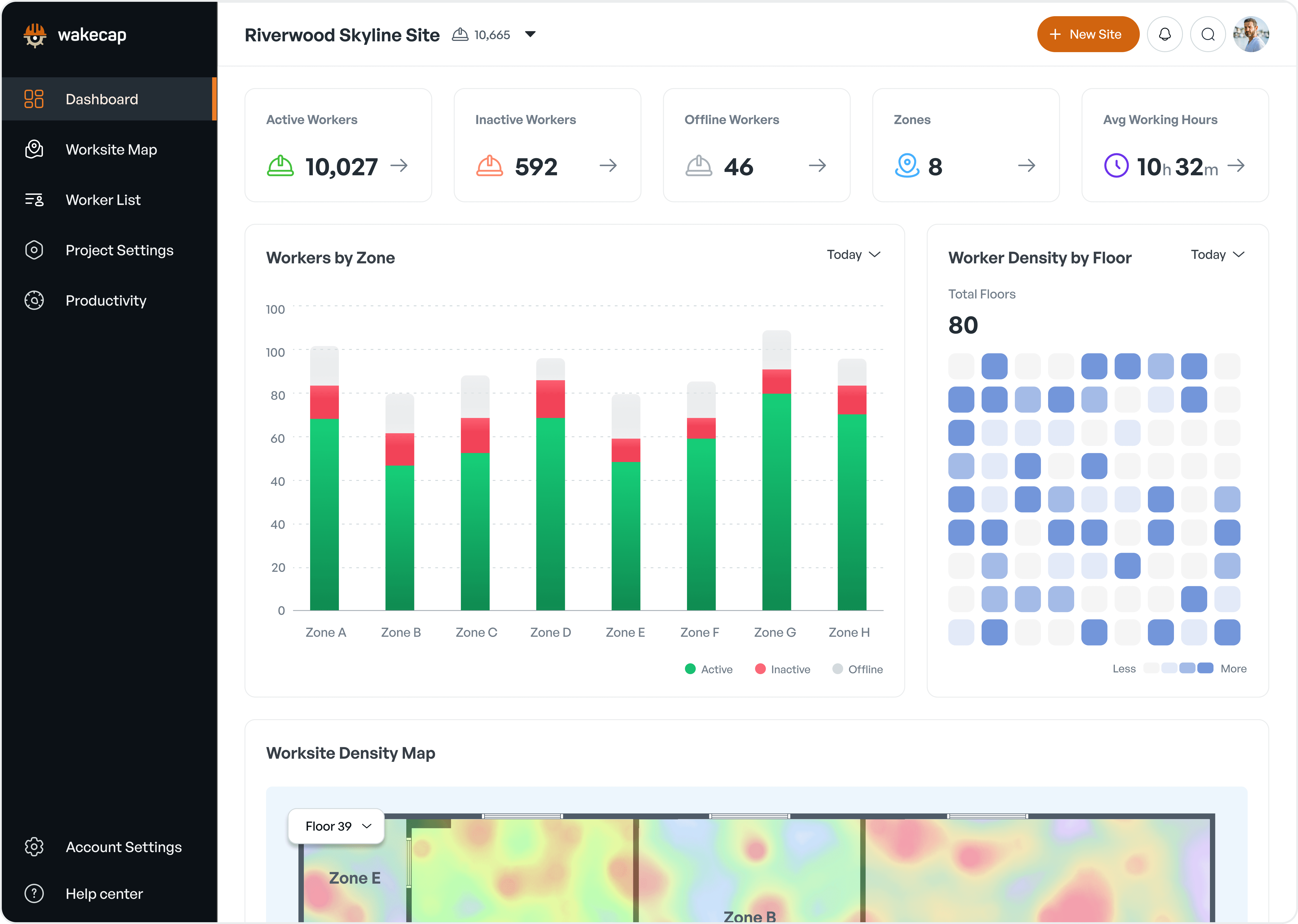
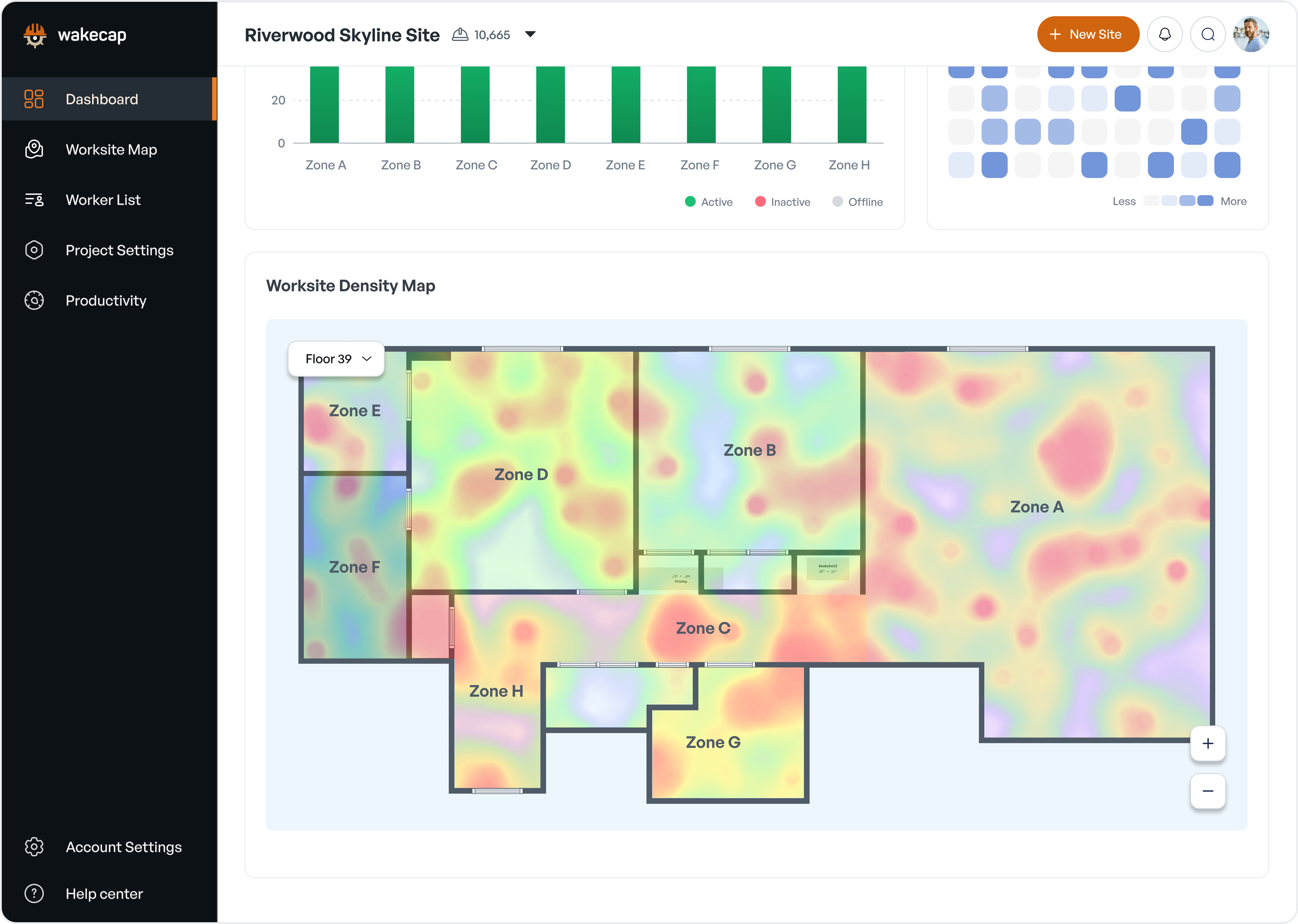
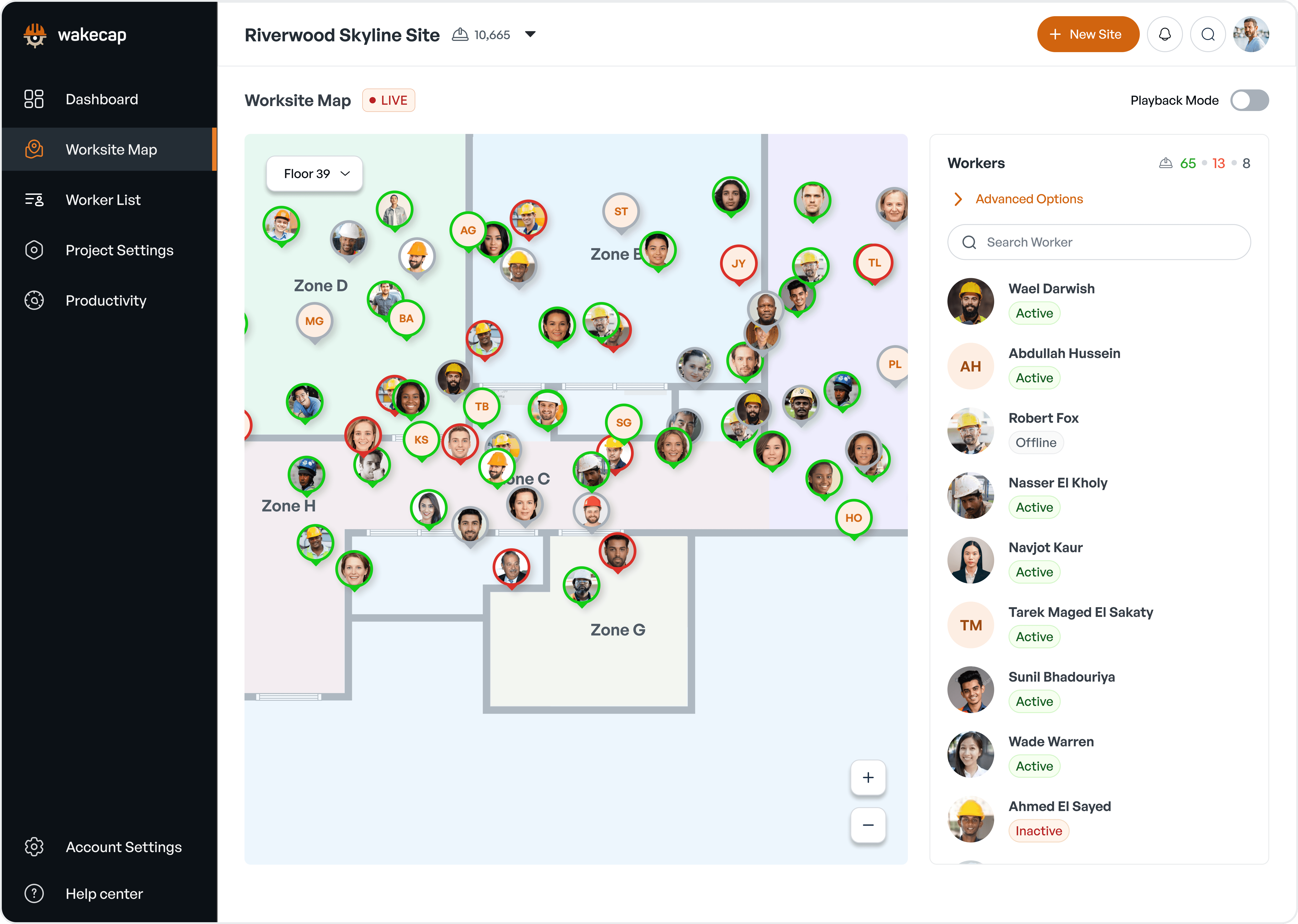
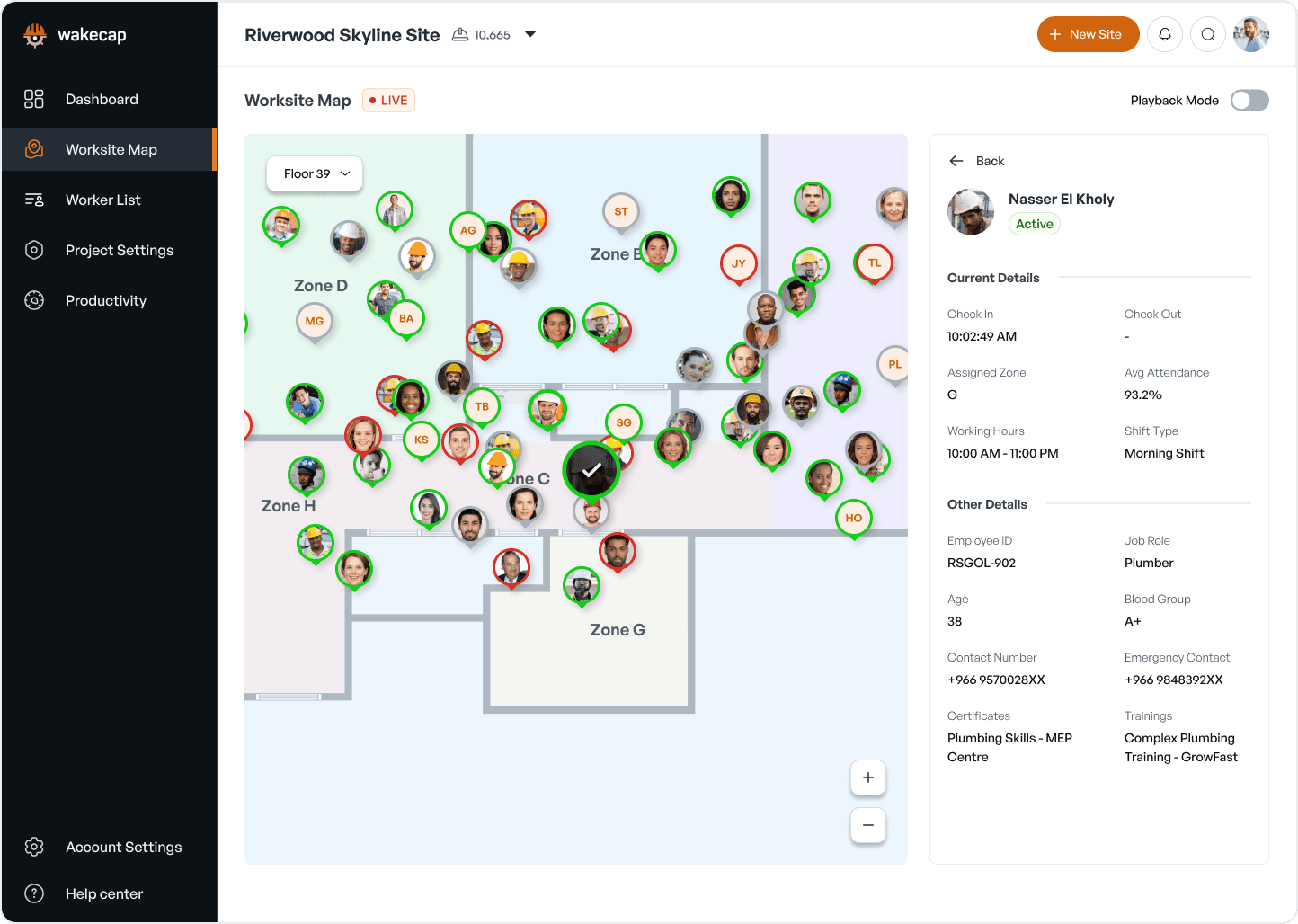
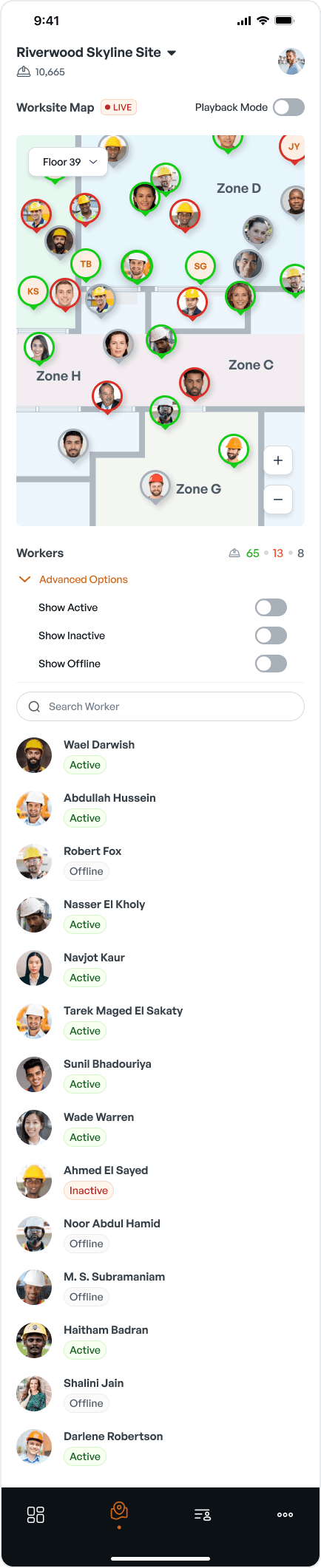
Designed an intuitive IoT-based worker tracking system for construction sites, featuring real-time monitoring, historical playback, and multi-platform accessibility to enhance safety and productivity management.

Client Name
WakeCap
Industry Domain
Construction Tech
Deliverables
Desktop & Mobile UI
Team
Solo Designer
Objectives
Design an intuitive user interface for real-time worker tracking across multiple zones and floors.
Create a system that allows easy visualization of worker status (active, inactive, offline) and location.
Implement a playback feature for historical data analysis.
Develop both desktop and mobile interfaces to cater to different user needs and contexts.
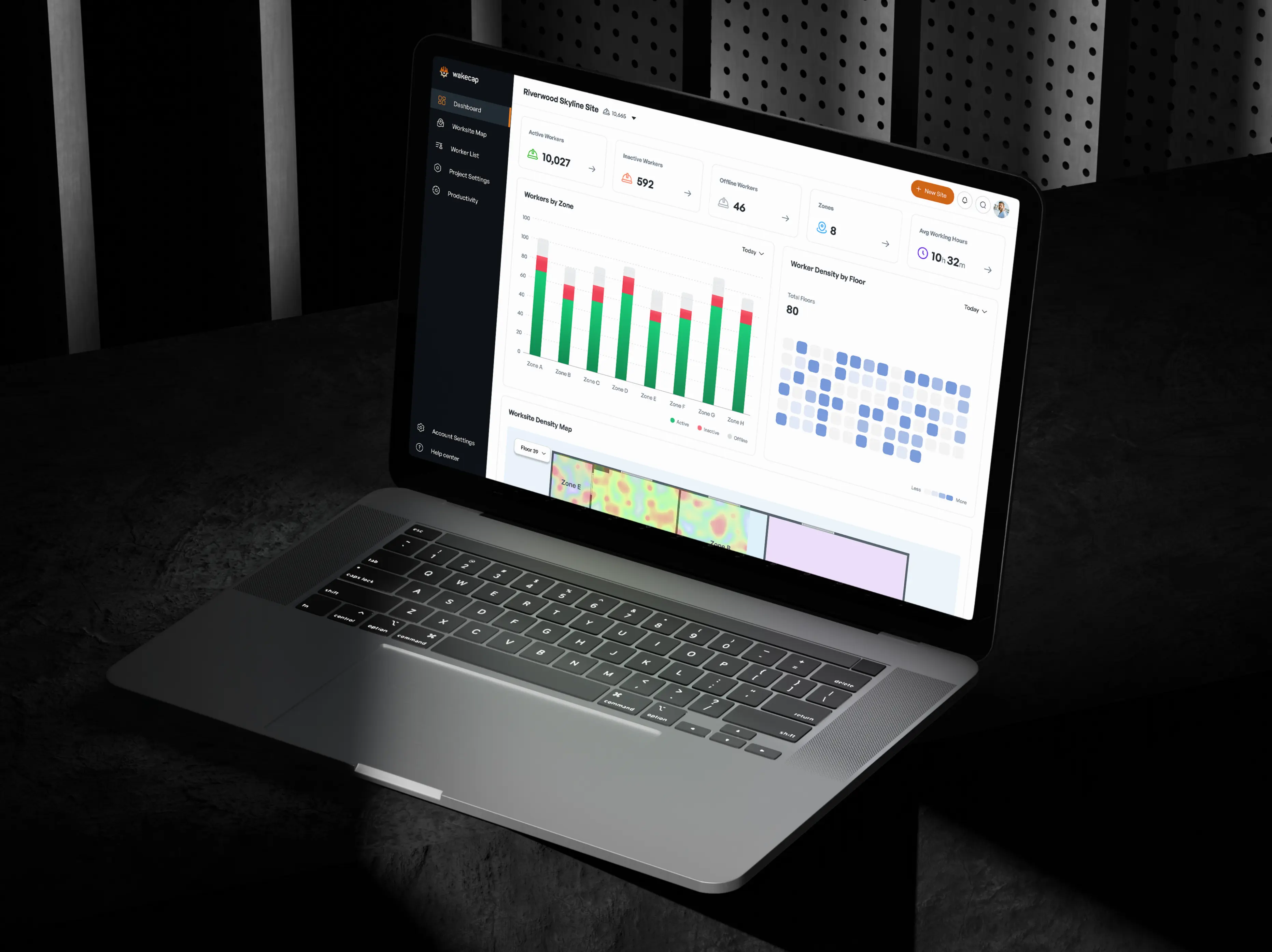
Incorporate analytics features for productivity insights and reporting.
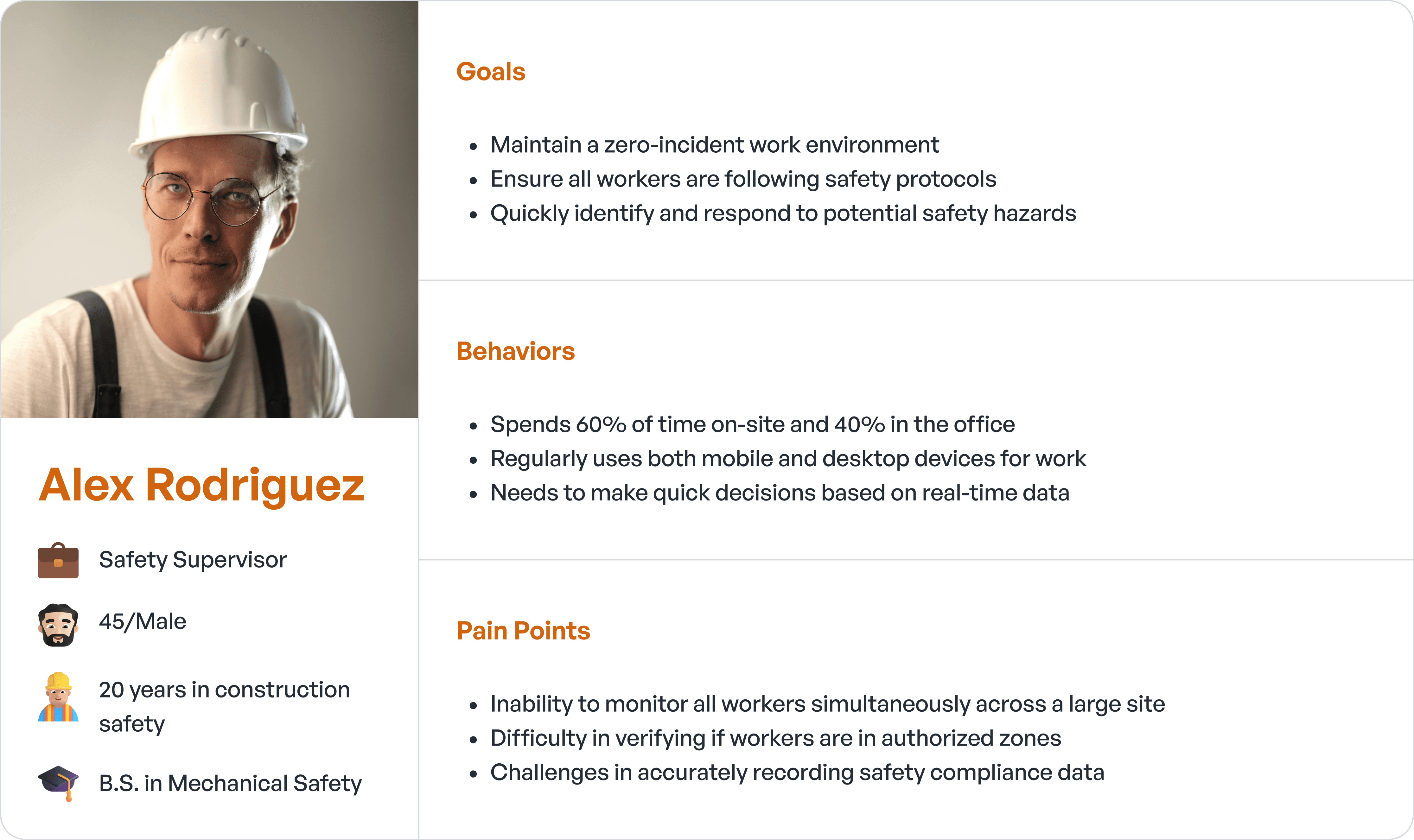
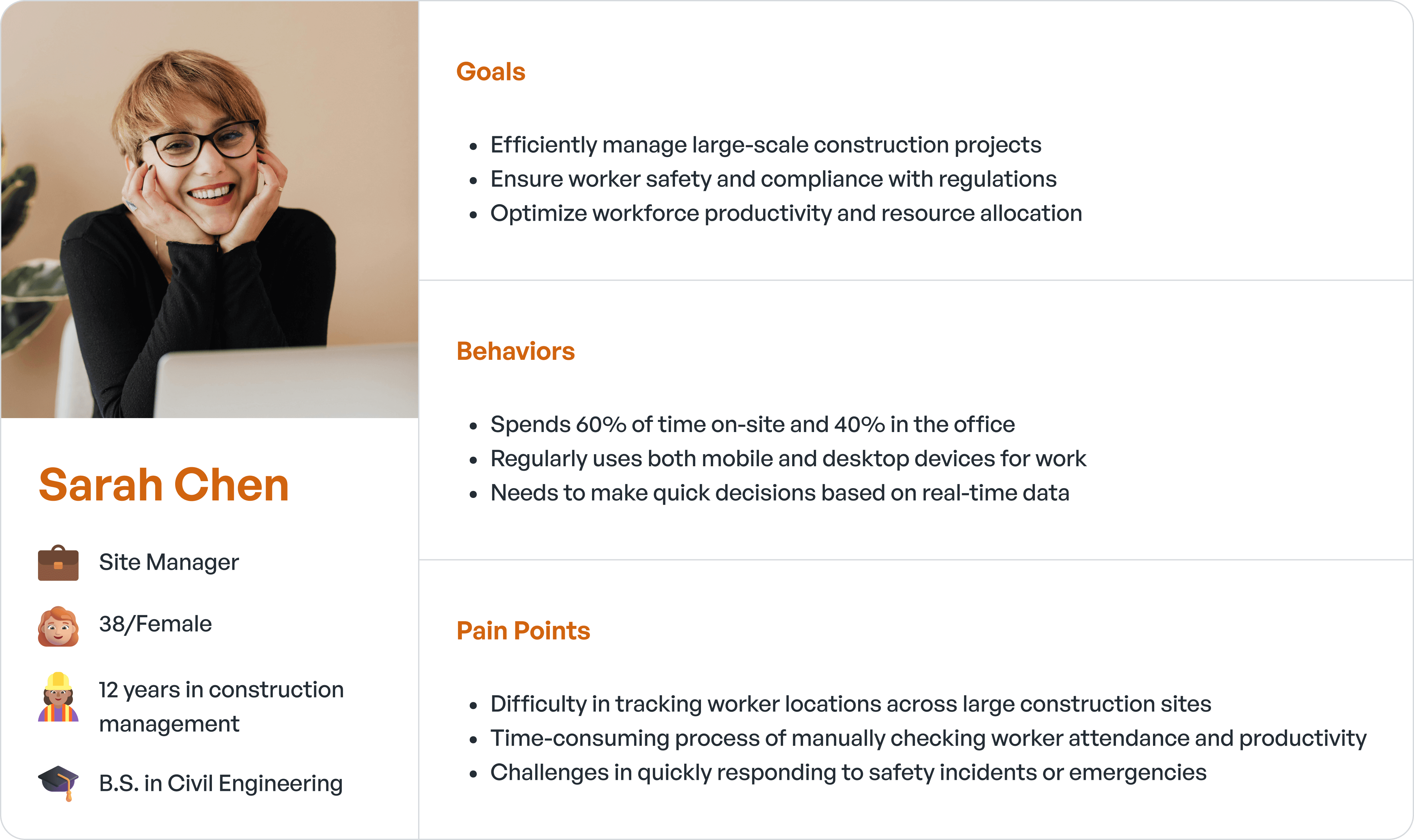
Persona
Research
For the research, given that the objectives were already well-defined by WakeCap, we chose to focus our research efforts on competitive analysis rather than conducting primary and secondary research.
This approach allowed us to:
1. Gain insights into existing solutions in the market
2. Identify potential gaps and opportunities for innovation
3. Understand best practices in worker tracking and construction site management interfaces
4. Support and refine our design decisions based on industry standards and user expectations
Our competitive analysis included examining similar worker tracking systems, specifically SmartBarrel and Timeero, alongside WakeCap. This process helped us validate our design direction and ensure that the WakeCap Worker Tracking System would offer unique value while meeting industry standards.
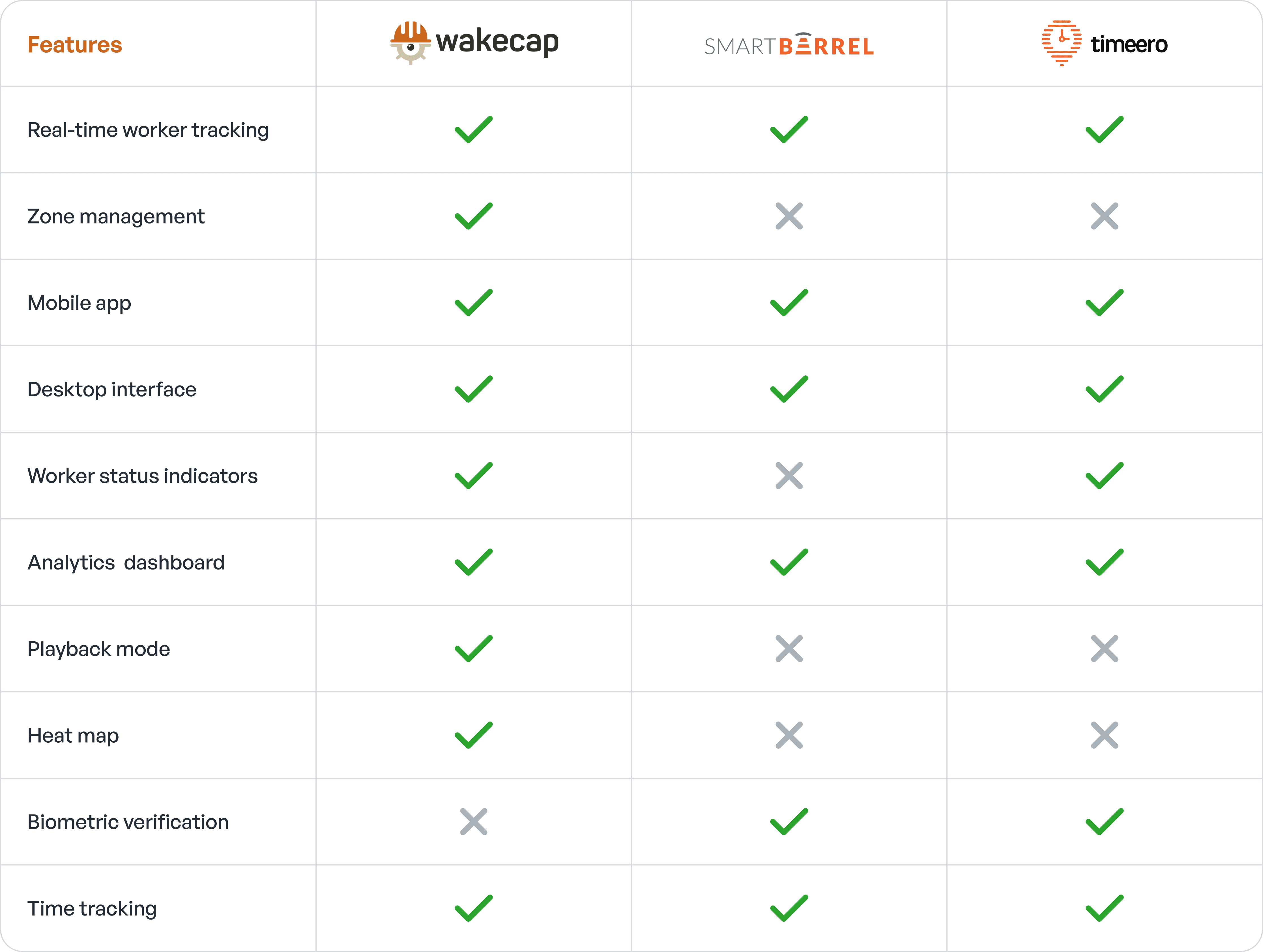
Unique Features: WakeCap stands out with its zone management, playback mode, heat map, and hardware-based tracking features, which are not consistently offered by competitors.
Comprehensive Tracking: While all systems offer real-time worker tracking, WakeCap provides a more holistic approach with its combination of zone management, worker status indicators, and geofencing.
Analytics and Visualization: All systems offer analytics dashboards, but WakeCap's heat map feature provides a unique visual representation of worker density and movement.
Areas for Improvement: WakeCap could potentially enhance its offering by incorporating biometric verification, mileage tracking, scheduling, and time-off management features, which are offered by some competitors.
Integration Potential: There's an opportunity for WakeCap to expand its software integrations, a feature currently offered by SmartBarrel.
Brainstorming
The brainstorming session was crucial in identifying key features and functionalities for the WakeCap Worker Tracking System. I used a combination of mind mapping and rapid ideation techniques to explore various aspects of the system
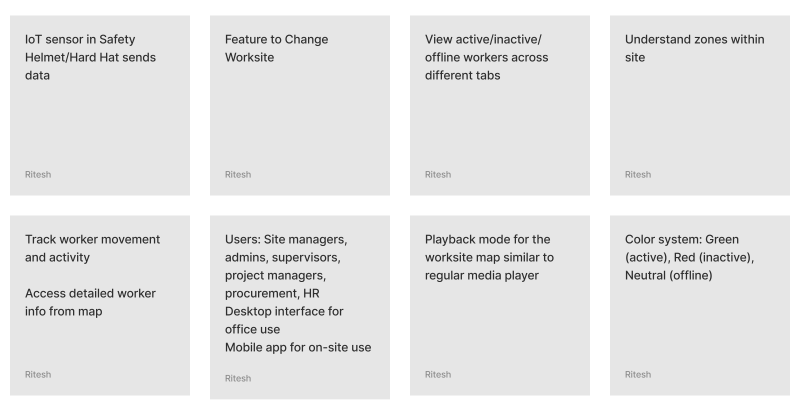
Here are the main insights and ideas that emerged:
Core Functionality:
Worksite Management
Feature to switch between multiple worksites
Understanding and visualizing zones within each site
Worker Status Tracking
Real-time view of active/inactive/offline workers
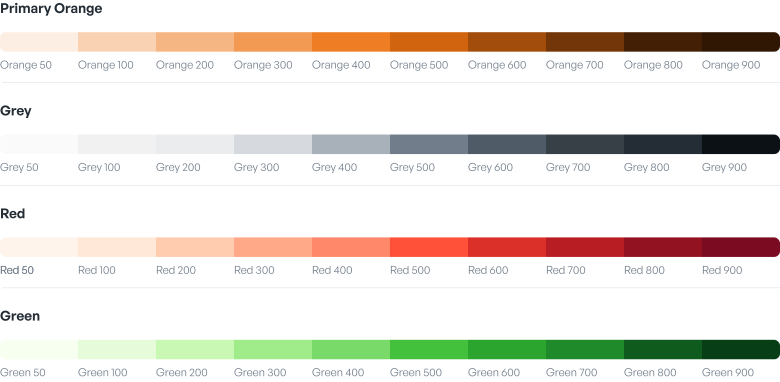
Color-coded system: Green (active), Red (inactive), Neutral (offline)
Tracking worker movement and activity patterns
Data Visualization
Interactive map view for worker locations
Detailed worker information accessible from the map
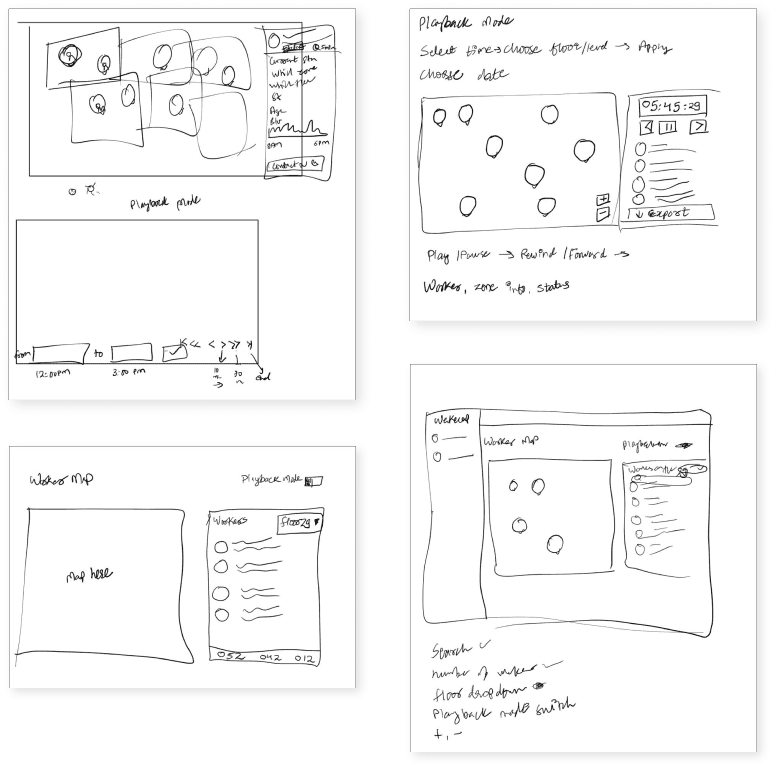
Playback mode for historical data review, similar to media players
Ability to select specific time ranges for data playback
IoT Integration
Seamless data transmission from IoT sensors in Safety Helmets/Hard Hats
Real-time status updates (active, inactive, offline) based on sensor data
User-Centric Approach:
Multi-Role Support
Catering to various user types: Site managers, admins, supervisors, project managers, procurement officers, and HR managers
Customized views and access levels for different roles
Cross-Platform Accessibility
Desktop interface for office-based use
Mobile app for on-site convenience and real-time updates
Design Considerations:
Intuitive User Interface
Consistent color system across all screens for status representation
Easy-to-navigate dashboard for quick insights
Responsive Design
Ensuring seamless experience across desktop and mobile platforms
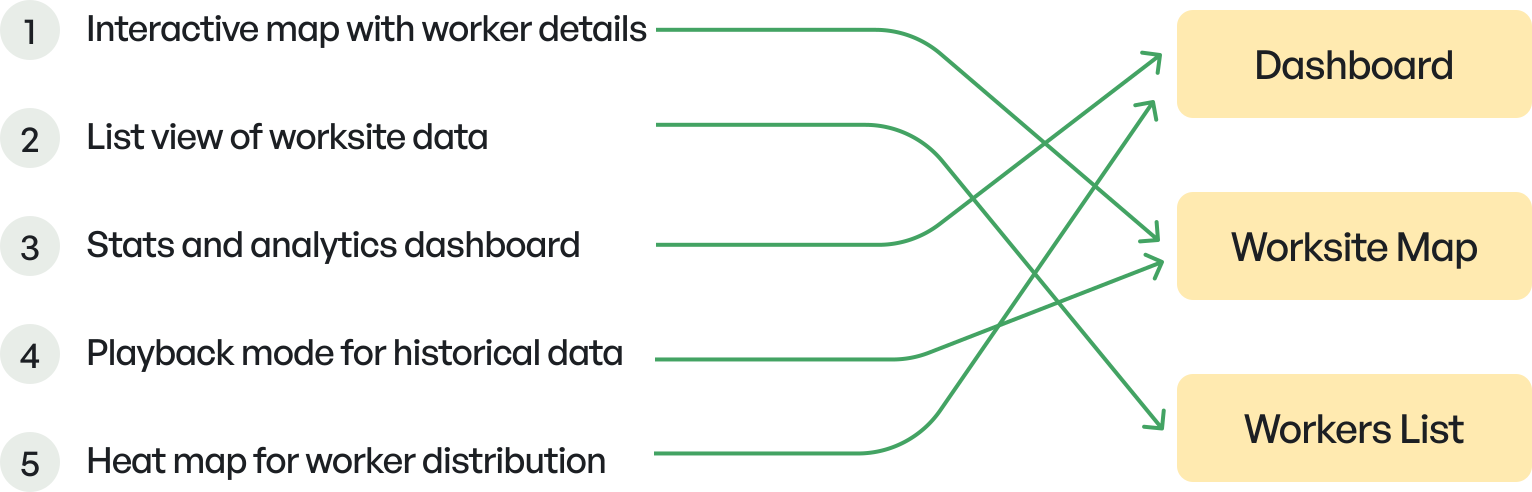
Information Architecture
Product Features are mapped with different screens.
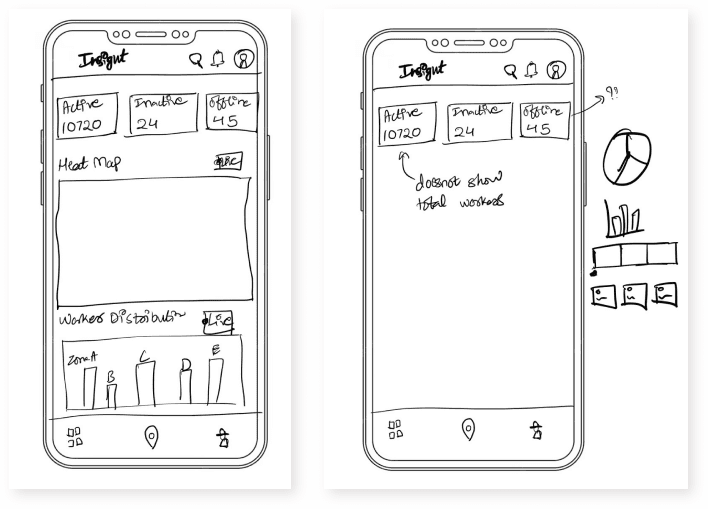
Wireframing
Visual System
Colors
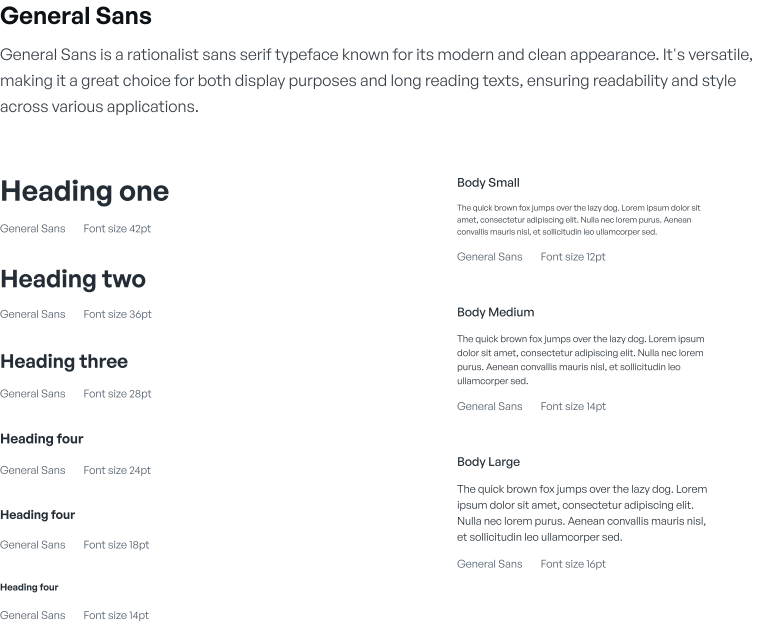
Typography